Six Walls

Standalone Applications

Studio One tools

Tools that run on their own — no DAW, no plugin host. The Installer installs, updates, and uninstalls Six Walls software from one place; alongside it, a housekeeping suite for Studio One projects, a companion tool for RA Control, and the microphone‑measurement tool behind The Room.

Before you download Same story as the plugins: one person, spare time, given away.

Windows: code-signed — verified publisher Edwin Jones. A new certificate needs a little time to build SmartScreen reputation, so at first you may still see a “not commonly downloaded” note — click More info → Run anyway.

macOS: code-signed with a Developer ID and notarized by Apple — installs and opens the normal way, no Gatekeeper prompt.

The Installer

Start here · install & update manager · Windows & macOS

The Installer showing six Six Walls products as cards, each with an installed/available version and an Uninstall or Get it button

The easiest way to get Six Walls software and keep it up to date. Unlike a lot of installers, it doesn’t run in the background — it’s on demand only: open it when you want to check for new software, or updates to what you already have.

Windows macOS NativeAOT no runtime v1.3.7

Get It! gives you a signed installer on either platform — Setup.exe on Windows (Program Files, Start Menu, Add/Remove Programs) or a signed, notarized .pkg on macOS (installs to /Applications). No .NET install, no admin prompt beyond that one signed setup itself. It also lists optional add-ons (like The Room’s extra rooms) and updates itself. Full manual on the Support page.
Tools for Studio One

Studio One / Studio Pro project utilities · Windows & macOS

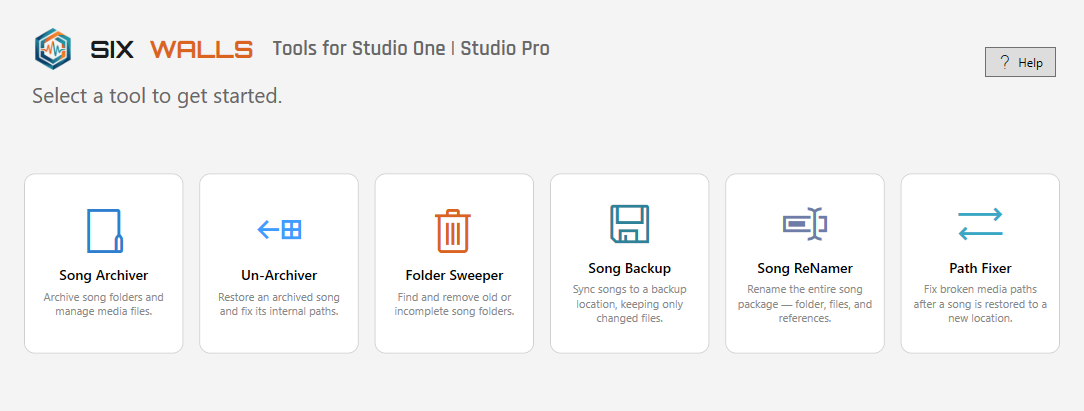
Tools for Studio One home screen: a row of six tool cards — Song Archiver, Un-Archiver, Folder Sweeper, Song Backup, Song ReNamer, and Path Fixer — under the Six Walls wordmark

A portable desktop suite for keeping PreSonus Studio One (and Fender Studio Pro) song projects tidy, portable, and backed up — six tools behind one home screen, no installer.

  • Song Archiver — pack a song into a single ZIP with only the media it actually uses, plus an HTML inventory of takes and plugins.
  • Un-Archiver — restore an archived song anywhere and rewrite its internal file:// paths so it opens fully linked.
  • Folder Sweeper — find and safely remove orphaned cache and dead song folders.
  • Song Backup — incremental sync of song folders to a backup location; only new or changed files are copied.
  • Song ReNamer — rename a whole song package — folder, .song files and Mixdown/Master audio — in one step.
  • Path Fixer — repair broken media paths after a song is moved between drives, users, or machines.
Windows macOS Installer .NET 10 v1.3.2

Get It! gives you a real installer on either platform — Start Menu shortcut and clean uninstall on Windows (small, fetches the .NET 10 Desktop Runtime automatically, or pick the offline installer for a machine without internet access), or a signed, notarized .pkg on macOS (installs to /Applications, requires macOS 11 or later on Apple Silicon). Windows settings live in %APPDATA%\StudioOneTools\. Works with any recent Studio One .song file. Full manual on the Support page.

RA Plugin Manifest Editor

Companion tool for RA Control · Windows & macOS

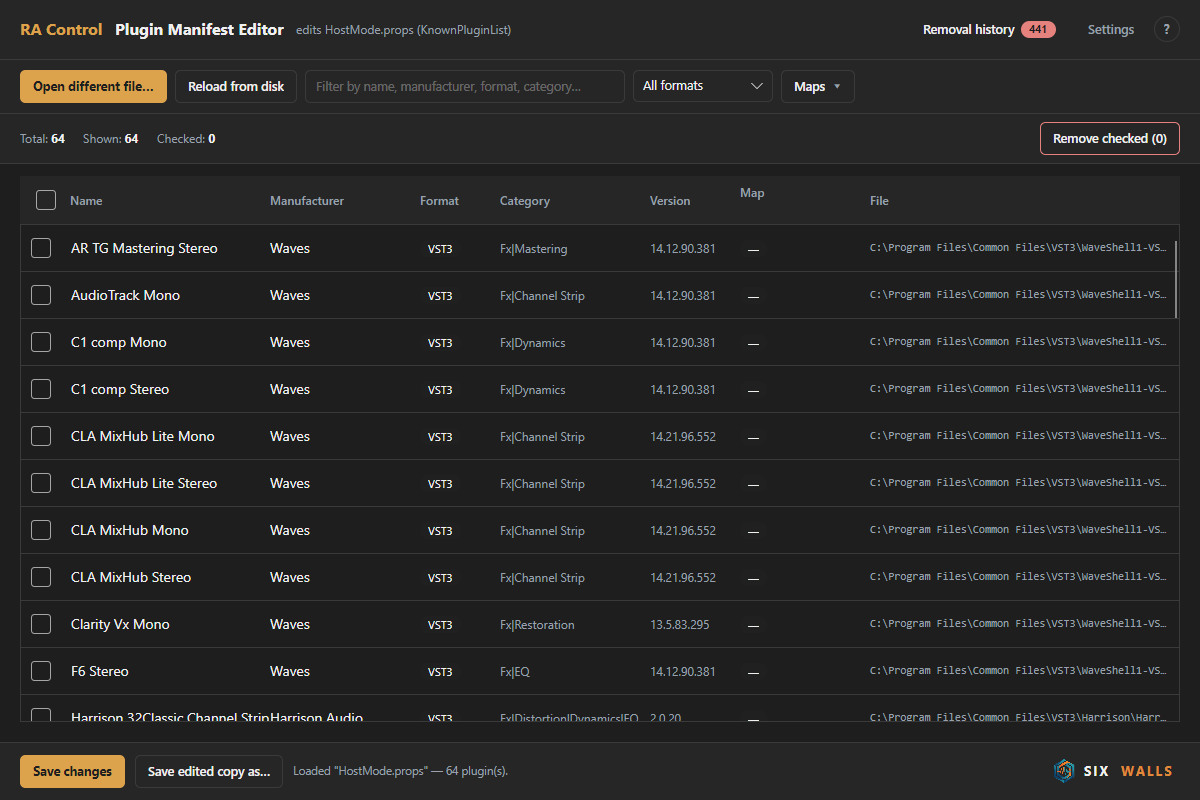
RA Plugin Manifest Editor: a dark table of installed plugins with name, manufacturer, format, category, version, map status, and file path columns, a search box and format filter, and Save changes / Remove checked actions

Curate the plugin list that RA Control’s Insert Plugins activity shows you. Instead of hand-editing HostMode.props XML, check off the duplicates, dead entries, and plugins you never insert, and remove them in one pass.

  • Search / sort / filter by name, manufacturer, format, or category; bulk-check the filtered set.
  • Removal history — anything you remove is remembered and re-flagged if RA Control’s scanner adds it back.
  • Cross-checks each plugin against RA Control’s local map cache (no network calls) and auto-selects ones with no map.
  • Every save writes a timestamped backup of HostMode.props first.
Windows macOS Installer .NET 10 Avalonia v1.2.0

A real installer now (Start Menu shortcut, clean uninstall) instead of a raw self-contained .exe. Windows needs the .NET 10 Runtime: Get It! offers a small installer that fetches it automatically if your machine does not have it yet (needs internet during setup), or an offline installer that bundles it, for a machine without internet access. Unofficial, third-party tool: not created by, affiliated with or endorsed by Rocksolid Audio; “RA Control” and related marks belong to their owners and are used only to describe compatibility. It only edits a local config file — use at your own risk. Full manual on the Support page.

The Room Mic Capture

Microphone-measurement tool · Windows & macOS

The tool we used to build The Room’s microphone models — now you can too. Play a swept sine through your monitor, record it once with a reference mic and again with the mic you want to model, and it derives that mic’s frequency‑response signature as a .mic file.

  • Guided two‑pass capture: reference mic, then the mic under test, same spot and gain.
  • Writes a .mic profile you drop straight into The Room’s MIC selector with Import mic….
  • Optional reference‑mic calibration file for a measurement‑grade result.
Windows macOS Installer JUCE 8 v1.0.0

A small per‑user installer, no admin prompt — installs the app and its manual; captures land in %APPDATA%\The Room\mic-captures\ (or ~/Library/Application Support/The Room/mic-captures/ on macOS). You need The Room to use the .mic profiles it produces. Full manual on the Support page.

More on the way

Standalone tools · on the workbench

Other standalone utilities are on the workbench. When one is ready it’ll show up here and on the home page.

  • More session-housekeeping utilities

Disclaimer: Six Walls applications are provided free of charge on an “as-is” basis — use them at your own risk, and always work on a copy of your work. Product names — “Studio One”, “Studio Pro”, “RA Control” and related marks — belong to their respective owners and are referenced for compatibility only; Six Walls is not affiliated with or endorsed by PreSonus, Fender, or Rocksolid Audio.