Every part of The FortyTwo was measured on the unit, both channels separately: the frequency and phase response at every knob position, how fast Auto reacts and to what, and even the lights, which were filmed frame by frame and fitted to the video. Then it was checked by ear against the hardware, side by side, on drums, guitars, voices, and full mixes.
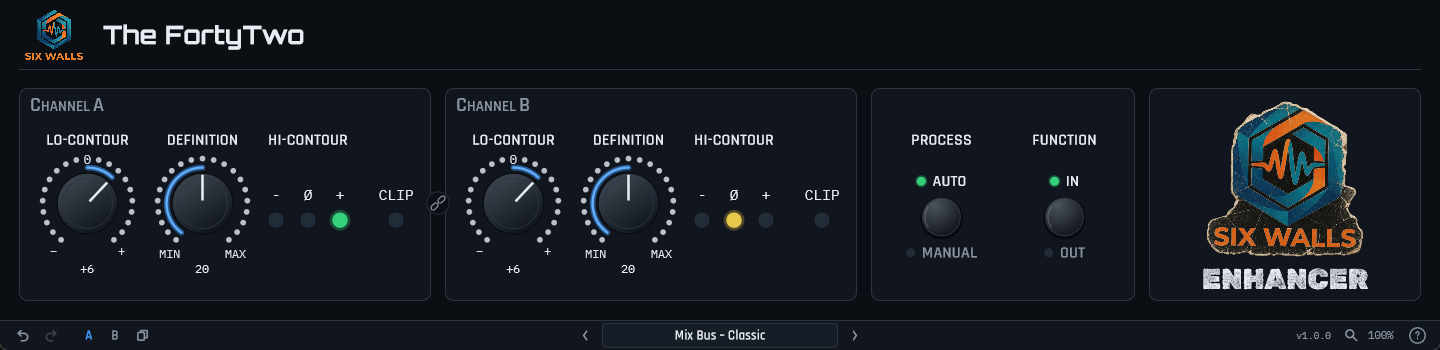
- Lo-Contour — bottom end added in the way the hardware does it, as a low-passed copy of the signal mixed back in rather than a shelf. From about −12 to +10 dB at 50 Hz.
- Definition — the top end, lifted and moved forward in time by the unit’s phase shaping. Up to about +9 dB at 5 kHz.
- Auto — a detector listens to the output and backs the top off when there’s already plenty of it. It reacts at two speeds at once, so it moves with the drums instead of pumping.
- Hi-Contour lights — red, amber, and green, reading the incoming low band against the high band, quirks included. They work in bypass, because the real ones do.
- Stereo Link — our addition, off by default: channel B follows A, and in Auto both sides get the same amount of top end, so the image can’t wander.
- Both channels modeled separately, because the unit’s two channels aren’t identical either. Factory presets included, plus user presets, A/B, and undo.
- Runs oversampled and reports its small latency to your DAW. Passes pluginval at strictness 10.
Hear it — dry, the real unit, and The FortyTwo
Each clip went through the hardware and through the plugin with the same settings, Auto on. The hardware takes were recorded through the interface; the plugin takes are rendered by the plugin’s own DSP. The full-mix hardware take is turned up 0.3 dB to match levels.
Get It! downloads the Six Walls Installer, the easiest way to install The FortyTwo, keep it up to date, and hear about new releases. Prefer to install plugins one at a time? Every platform’s installers and zips are under Individual downloads on the Support page. Full manual on the Support page.