
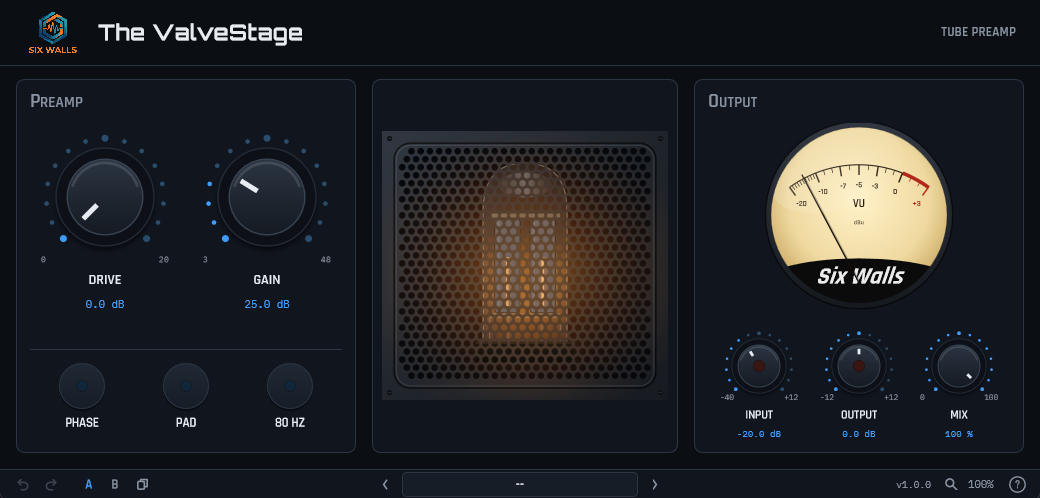
The ValveStage was measured on the unit: the gain and the taper of both dials, the pad, the 80 Hz filter, the way the distortion grows with level, and the point where the output stage runs out of road. Then it was checked against the hardware, signal for signal, on drums, bass, guitars, and voices. What it found is simpler than you might expect, and the plugin is built the same way.
- One tube stage — every bit of the distortion comes from it, and it depends only on how much level reaches it. Gain does not change it, which is why the same settings sound the same at any Gain.
- Gain — the unit’s own dial, after the tube and clean. The knob follows the real taper, +8.9 to +49.1 dB. (The numbers printed on the dial, 3 to 48, are not decibels.)
- Drive — up to +19.3 dB in front of the tube. More Drive, harder tube.
- Pad, 80 Hz, and Phase — a 19.2 dB pad before the tube, the unit’s one-pole 80 Hz filter, and polarity reverse. Pad plus Gain is how you get a clean sound that stays clean.
- The unit’s own clip — the output stage clips hard at +21.3 dBu, wherever Gain and Drive are set, and the Output light follows the hardware’s clip light at +20 dBu.
- Our additions — Input, Output, and Mix knobs, an Input clip light, and nine factory presets that set the Input for you, plus user presets, A/B, and undo. Input is the one that matters: a DAW track is far hotter than a microphone, so Input stands in for the distance.
- Honest about what it isn’t — the meter on our unit would not move, so it is a generic VU, not a copy. One tube model (a second tube measured the same). Only the XLR path is modeled.
- Runs oversampled and reports its small latency to your DAW. Passes pluginval at strictness 10.
Get It! downloads the Six Walls Installer, the easiest way to install The ValveStage, keep it up to date, and hear about new releases. Prefer to install plugins one at a time? Every platform’s installers and zips are under Individual downloads on the Support page. Full manual on the Support page.